July 20, 2026
WebP vs JPG: Which Image Format Is Better for Websites? | SizeHex
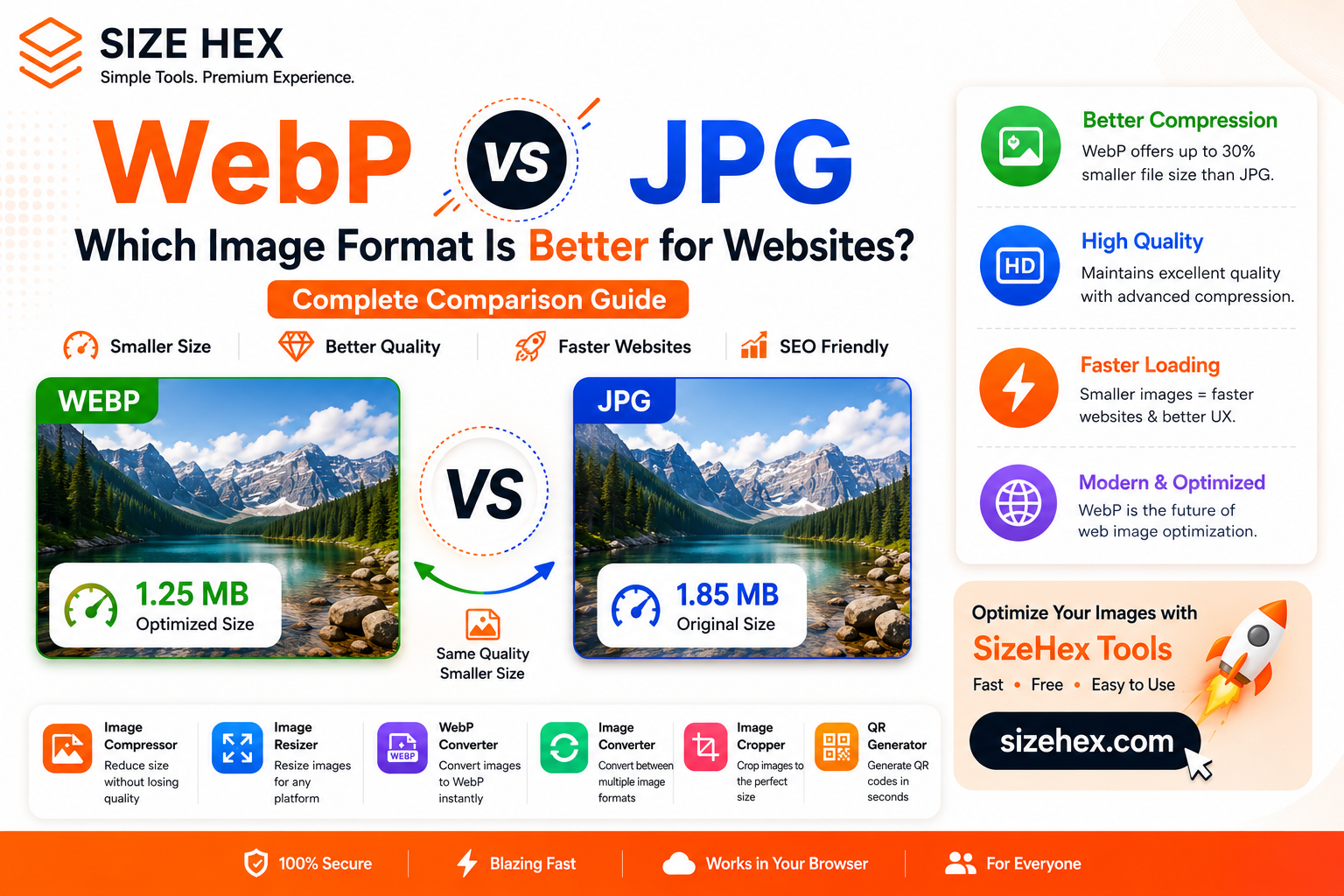
WebP vs JPG: Which Image Format Is Better for Websites?
If you've ever uploaded images to a website, blog, or online store, you've probably seen two common image formats: WebP and JPG.
For years, JPG has been the standard format for digital photos and website images. However, modern websites are increasingly switching to WebP because of its smaller file sizes and better performance.
This raises an important question:
Is WebP actually better than JPG?
Should you convert all your images to WebP?
Does WebP improve SEO?
The answer depends on how you use your images.
In this guide, we'll compare WebP and JPG in detail and help you decide which format is best for your website.
What Is JPG?
JPG, also known as JPEG, is one of the most popular image formats in the world.
It uses lossy compression, which reduces file size by removing some image data while maintaining good visual quality.
JPG is commonly used for:
- Photography
- Blog images
- Website banners
- Product photos
- Social media posts
- Travel photos
The main advantage of JPG is its balance between image quality and file size.
What Is WebP?
WebP is a modern image format developed by Google.
Like JPG, WebP also uses compression to reduce file size, but it does so much more efficiently.
WebP supports:
- Lossy compression
- Lossless compression
- Transparent backgrounds
- Better optimization
Because of these features, WebP has become the preferred format for modern websites.
WebP vs JPG: What's the Difference?
Both formats are designed to reduce image size, but they use different compression techniques.
JPG removes image data to create smaller files.
WebP uses newer compression algorithms that often produce even smaller files while preserving visual quality.
The result is:
- Smaller file sizes
- Faster website loading
- Better optimization
This is one of the biggest reasons developers are switching to WebP.
File Size Comparison
One of the biggest advantages of WebP is file size.
In many cases:
- WebP files are 25% to 35% smaller than JPG files.
- Websites load faster.
- Less bandwidth is used.
- Mobile users get a better experience.
For example:
| Format | File Size |
|---|---|
| JPG | 2 MB |
| WebP | 1.3 MB |
Even though both images may look almost identical, WebP usually takes up less space.
Image Quality Comparison
Many people believe smaller files automatically mean lower quality.
That's not always true.
WebP uses advanced compression techniques that maintain excellent image quality while reducing file size.
For most users, the difference between WebP and JPG is nearly impossible to notice.
However, photographers who require maximum editing flexibility may still prefer JPG.
WebP vs JPG for Websites
If you own a website, speed matters.
Large image files increase page load times, especially on mobile devices.
WebP offers several benefits:
- Faster loading speed
- Better website performance
- Lower bandwidth usage
- Improved Core Web Vitals
- Better mobile experience
For blogs and online businesses, WebP is usually the better option.
Does WebP Improve SEO?
Google does not rank websites higher simply because they use WebP.
However, WebP improves website performance, which contributes to a better user experience.
Optimized images can help with:
- Faster loading speeds
- Lower bounce rates
- Better page experience
- Improved mobile performance
This makes WebP an excellent choice for SEO-focused websites.
When Should You Use JPG?
JPG is still a great choice in many situations.
Use JPG for:
- Photography editing
- Social media uploads
- Printing
- Older software compatibility
- Offline storage
If compatibility is important, JPG remains one of the safest options.
When Should You Use WebP?
WebP is ideal for:
- Websites
- Blogs
- E-commerce stores
- Landing pages
- Online portfolios
- Mobile apps
If your goal is speed and optimization, WebP is usually the better option.
You can convert images using the WebP Converter.
https://www.sizehex.com/webp-converter.html
Can You Convert JPG to WebP?
Yes.
Converting JPG images to WebP is one of the easiest ways to improve website performance.
Before converting, consider compressing the image using the Image Compressor.
Then convert the optimized image into WebP.
This simple workflow helps reduce file size without noticeable quality loss.
Common Mistakes to Avoid
Converting Every Image to WebP
Not every image needs to be WebP.
Keep original files as backups.
Uploading Uncompressed Images
Large images slow down websites.
Always optimize images first.
Ignoring Image Dimensions
Resize oversized images before uploading.
Use the Image Resizer.
https://www.sizehex.com/image-resizer.html
Choosing Compatibility Over Performance
For websites, WebP is often the smarter choice.
Best Practices
To get the best results:
- Compress images before uploading.
- Resize large images.
- Use WebP for websites.
- Keep original JPG files.
- Test website performance.
- Optimize every uploaded image.
Why Use SizeHex?
SizeHex provides a complete set of browser-based image optimization tools.
With SizeHex, you can:
- Compress images
- Resize images
- Convert images to WebP
- Convert image formats
- Crop images
- Generate QR codes
Everything works directly in your browser—no software installation required.
Frequently Asked Questions
Is WebP better than JPG?
For websites, yes. WebP usually provides smaller file sizes and better performance.
Does WebP reduce image quality?
No. In most cases, WebP maintains excellent quality while reducing file size.
Which format is better for SEO?
WebP improves website performance, which can positively impact user experience.
Can I convert JPG to WebP online?
Yes. Use the SizeHex WebP Converter to convert images instantly.
Should I replace all JPG images with WebP?
For websites, WebP is often the better choice, but keeping original JPG files is recommended.
Conclusion
Both WebP and JPG are excellent image formats.
JPG remains useful for photography and compatibility, while WebP offers better optimization and faster website performance.
If you run a blog, business website, or online store, WebP can help improve loading speed and user experience.
The best choice depends on your needs, but for modern websites, WebP is quickly becoming the preferred format.
Try SizeHex Today
Ready to optimize your images?
Use SizeHex to compress, resize, convert, and optimize images directly in your browser.
Whether you're a blogger, designer, developer, student, freelancer, or business owner, SizeHex helps you work faster and smarter.
Related Tools
Image Compressor
Image Resizer
https://sizehex.com/image-resizer.html
WebP Converter
https://sizehex.com/webp-converter.html
Image Converter
https://sizehex.com/image-converter.html
Image Cropper
https://sizehex.com/image-crop.html